
Jun 5, 2026
What's new in NativeLM v0.9.0: charts in chat, an adaptive UI, and a real engine library
v0.9 teaches the on-device model to answer with charts, makes the UI adapt from phone to tablet, and pulls the whole AI core out of the app into a reusable Kotlin Multiplatform library — still fully local, no account, no upload, no telemetry.
NativeLM is on-device document chat: ask questions grounded in your own files, get answers with citations, all running locally on your phone. v0.8 rounded out the privacy story — app lock, encrypted backup, peer-to-peer sync. v0.9 is about making the thing richer to use and the engine underneath it reusable.
Three headline changes: the model can now answer with a chart, the UI adapts from phone to tablet, and the entire AI core has been extracted into a standalone library. Still local-only — no account, no upload, no telemetry.
Here’s everything in the release.
Charts in chat
Ask for a comparison — “break down this quarter’s revenue by region”, “chart the monthly totals from this report” — and NativeLM now answers with an actual bar, line, or pie chart rendered right in the chat bubble, not a wall of numbers.
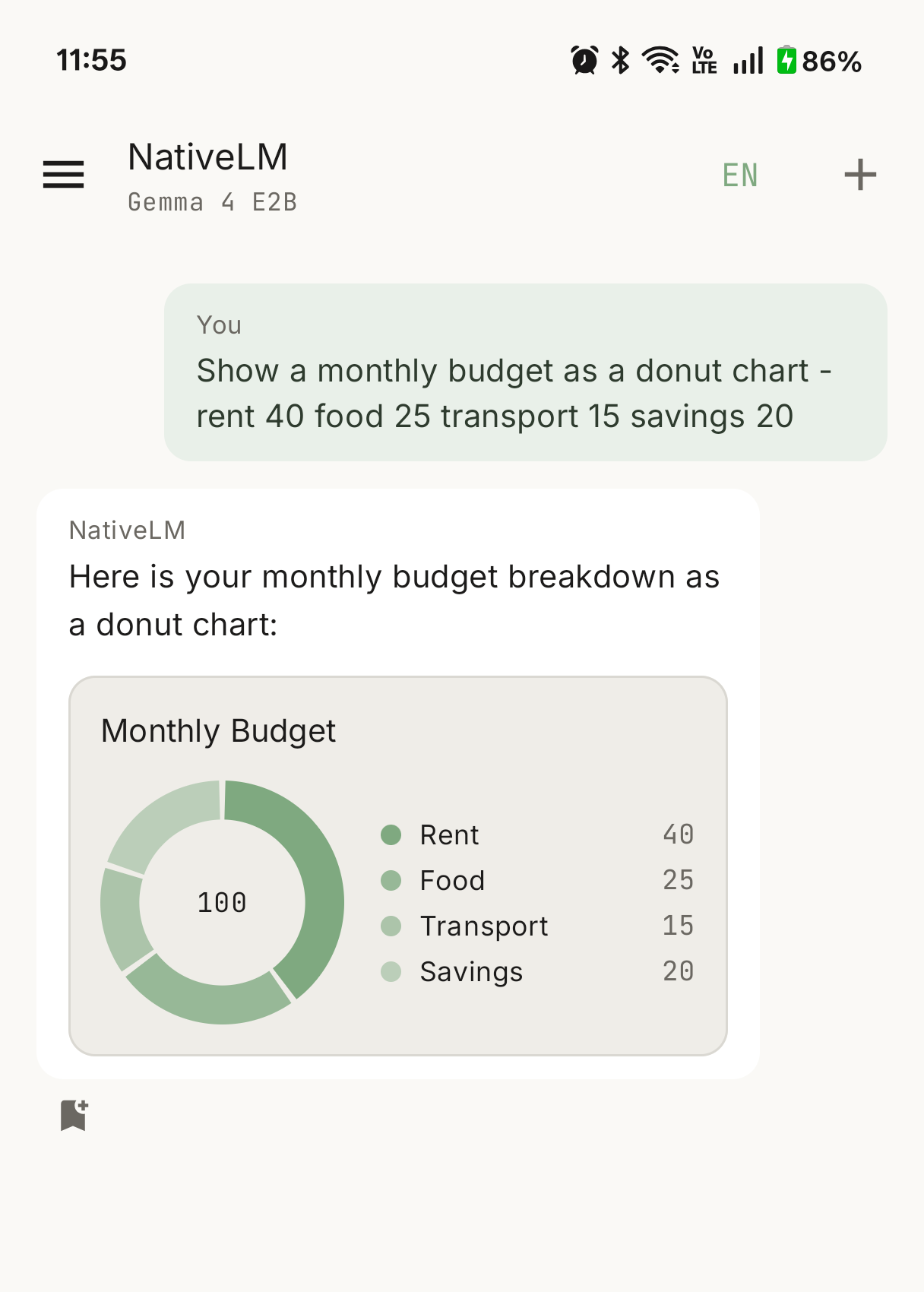
The hard part isn’t drawing the chart; it’s getting a small on-device model to reliably hand you structured data. Cloud models follow “respond in this exact JSON shape” instructions well. A 2–4B model running on a phone is messier: it’ll wrap the JSON in a ```chart fence one time, a generic ```json fence the next, emit it bare with no fence at all, or produce a perfectly good chart object that’s just missing the type field.
So the engine ships a tolerant chart parser rather than a strict one. It recovers a chart from any of those shapes — fenced, untagged, or type-less — and infers a sensible chart type when the model forgets to declare one. And because not every small model can follow the chart instruction at all, the instruction is gated to models that can actually use it, so weaker models aren’t pushed into emitting broken markup. The chart spec and parser live in the engine (with unit tests over the messy real-world cases); the app just renders the result.
An adaptive, multi-device UI
NativeLM’s layout now adapts to the screen instead of stretching a phone UI across a tablet. Using Material 3 window size classes plus the adaptive navigation-suite and list-detail panes, the same Compose code presents as a single column on a phone and a proper two-pane layout on a foldable or tablet — your projects/chats on one side, the conversation on the other.
Alongside it, the chat surface got two smaller but daily-noticeable touches: a project-led navigation drawer (your Projects sit above recent chats, each section capped to stay scannable, with a “Show all projects” expander), and a + attach button in the composer to import a source — PDF, image, or text — straight into the current project without leaving the conversation. Chat rendering also got richer Markdown alongside the new inline charts.
The engine is now a real library
This is the structural one. From the start, the plan was that NativeLM is the showcase and litertlm-kmp is the product underneath. v0.9 makes that real.
The RAG orchestration (document ingestor, retriever, chunker, keyword search, context formatter), the Studio artifact generators, the backup crypto, and the peer-to-peer socket transport all moved out of the sample app and into the engine (com.sagar.aicore.*). Domain tunables that were scattered as constants are now externalized into config objects you can pass in. The app dropped a pile of code in the process — it’s now a thin layer over the library, which is exactly the point: the on-device AI core is independently consumable by other apps, not welded to this one.
If you want to build your own on-device, private AI feature on top of LiteRT-LM, the surface you’d depend on is now an actual library boundary instead of a tangle inside a sample app.
No-account first run
A fresh install now reaches a working model in one tap. The model catalog leads with a Recommended section of ungated (Apache-2.0 / MIT) models that download with no Hugging Face token, and the app picks the best one that fits the device’s RAM. The license-gated Gemma tier — and the HF token field — moved behind a collapsible Advanced section. The first-run flow also links the AGPL source and the relevant model terms, and is clear that downloaded models carry their own licenses.
This matters for getting the app in front of people who aren’t ML engineers: no account, no token-pasting, just install and chat.
Privacy and store readiness
The zero-telemetry promise stays load-bearing, and v0.9 hardens it:
- Cleartext traffic is now disabled (
usesCleartextTraffic="false"plus anetwork_security_config.xml). Model downloads are HTTPS; local P2P sync carries AES-GCM ciphertext over raw sockets and is unaffected. - A hosted-ready, zero-telemetry privacy policy ships in-repo and as a static page, and Settings → About → Privacy policy opens it in-app.
- A detailed Play Store submission checklist landed alongside it (signing, Data Safety answers, permissions, content rating) — groundwork for getting NativeLM in front of non-GitHub users.
Try it
NativeLM v0.9.0 is live — open source, AGPL-3.0, no telemetry, no account, no upload.
- Source: the litertlm-kmp repository.
- Grab the signed APK and try it on your own documents.
- Building something on-device? The engine (
com.sagar:litertlm-kmp) is now a standalone Kotlin Multiplatform library.