Shipping on-device RAG: Building NativeLM for Android
How we implemented fully offline document RAG using MediaPipe's USE-Lite and ObjectBox HNSW vector search to ground Gemma's chat answers in imported PDFs.
Running Gemma 4 on-device is great, but LLMs are only as useful as the context they have access to. The most requested feature for NativeLM since the initial launch has been document grounding — the ability to import a PDF and ask questions about it, creating a fully private, on-device AI assistant.
With the latest release (v0.4.0), we’ve shipped NativeLM’s core Document RAG pipeline. Here is how we assembled an entirely on-device RAG (Retrieval-Augmented Generation) pipeline using LiteRT-LM, MediaPipe, and ObjectBox.
The Architecture: Import → Embed → Grounded Chat
A traditional cloud RAG architecture sends documents to a server to be chunked, calls the OpenAI Embeddings API, stores vectors in Pinecone, and retrieves them for an OpenAI chat completion.
Our pipeline does all of this locally on the phone.
1. Extraction and Chunking
First, we use PDFBox to extract text from imported PDFs or raw text files. The AndroidTextExtractor parses the document and feeds it into our TextChunker, which splits the text into 500-character chunks with a 50-character overlap to preserve context across boundaries.
2. Embedding with USE-Lite
To perform semantic search, we need to convert those text chunks into vector embeddings. We wired up MediaPipe’s TextEmbedder running the Universal Sentence Encoder Lite (USE-Lite) model. This model is incredibly lightweight (only ~6 MB to download) and generates 100-dimensional embeddings that are perfect for mobile memory constraints, while still capturing strong semantic meaning.
3. Vector Search with ObjectBox HNSW
The embeddings need to be queried instantly during a chat. We used ObjectBox, which natively supports HNSW (Hierarchical Navigable Small World) vector search on edge devices.
Our database entity looks like this:
@Entity
data class DocumentChunkEntity(
    @Id var id: Long = 0,
    var documentId: Long = 0,
    var text: String = "",

    @HnswIndex(dimensions = 100)
    var embedding: FloatArray? = null
)
When a user asks a question, we embed the query using the same USE-Lite model, then run a kNN (k-Nearest Neighbors) search against ObjectBox to retrieve the top matching chunks across their imported documents.
4. Grounding and Citations
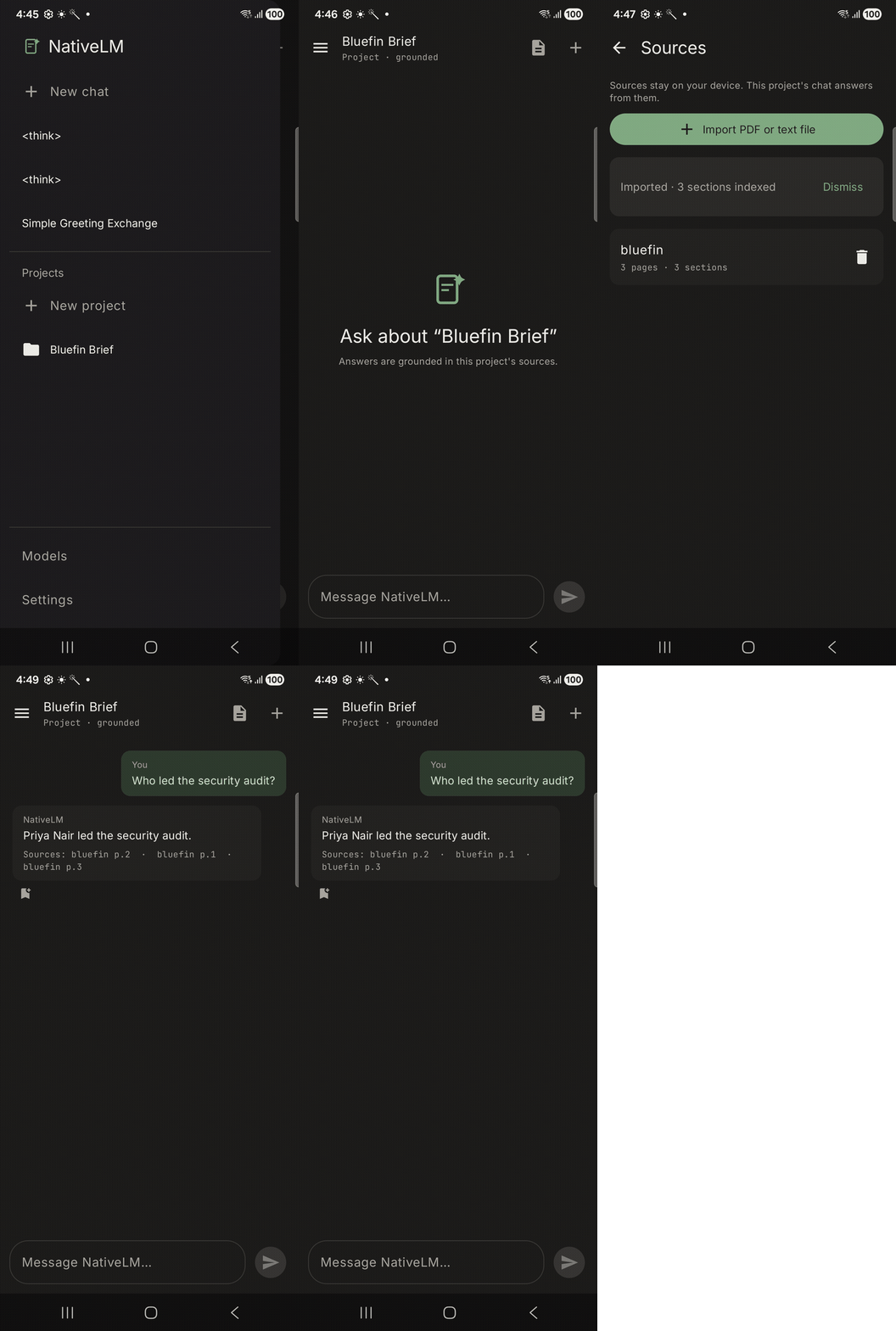
Finally, the retrieved passages are injected into the prompt via the RagContextFormatter. We impose a strict 4 KB cap and fence the context heavily to prevent prompt injection. The engine then prompts Gemma to answer the user’s question using only the provided context, and the UI renders the retrieved chunks as citations at the bottom of the message.
Everything stays on the phone. No API keys, no cloud syncing, zero data leakage.
The R8 Minification Trap
Shipping this uncovered a gnarly issue: it worked perfectly in debug, but crashed instantly in the minified release build.
The culprit? MediaPipe logs via FluentLogger (Flogger). Flogger’s forEnclosingClass() method attempts to walk the stack trace to find the calling class. In a minified R8 release build, class names are obfuscated (e.g., a.b.c), causing the stack-walker to fail and throw an exception deep inside MediaPipe’s initialization.
The fix required targeted ProGuard keep rules for MediaPipe, Flogger, and Protobuf. We’ve now added these to the library’s consumer-rules.pro so that any app consuming litertlm-kmp will automatically inherit them and survive minification safely.
Try it out
The document RAG feature is live in NativeLM right now.
- You can find the open-source implementation in the litertlm-kmp repository.
- Try the latest signed APK to see NativeLM in action on your own device.
Read next
Built on-device, in the open
NativeLM is a private, local-AI chat app powered by litertlm-kmp. No cloud, no accounts, zero telemetry.
Comments